Kuzuno
Script
Everything you need to speed up your workflow
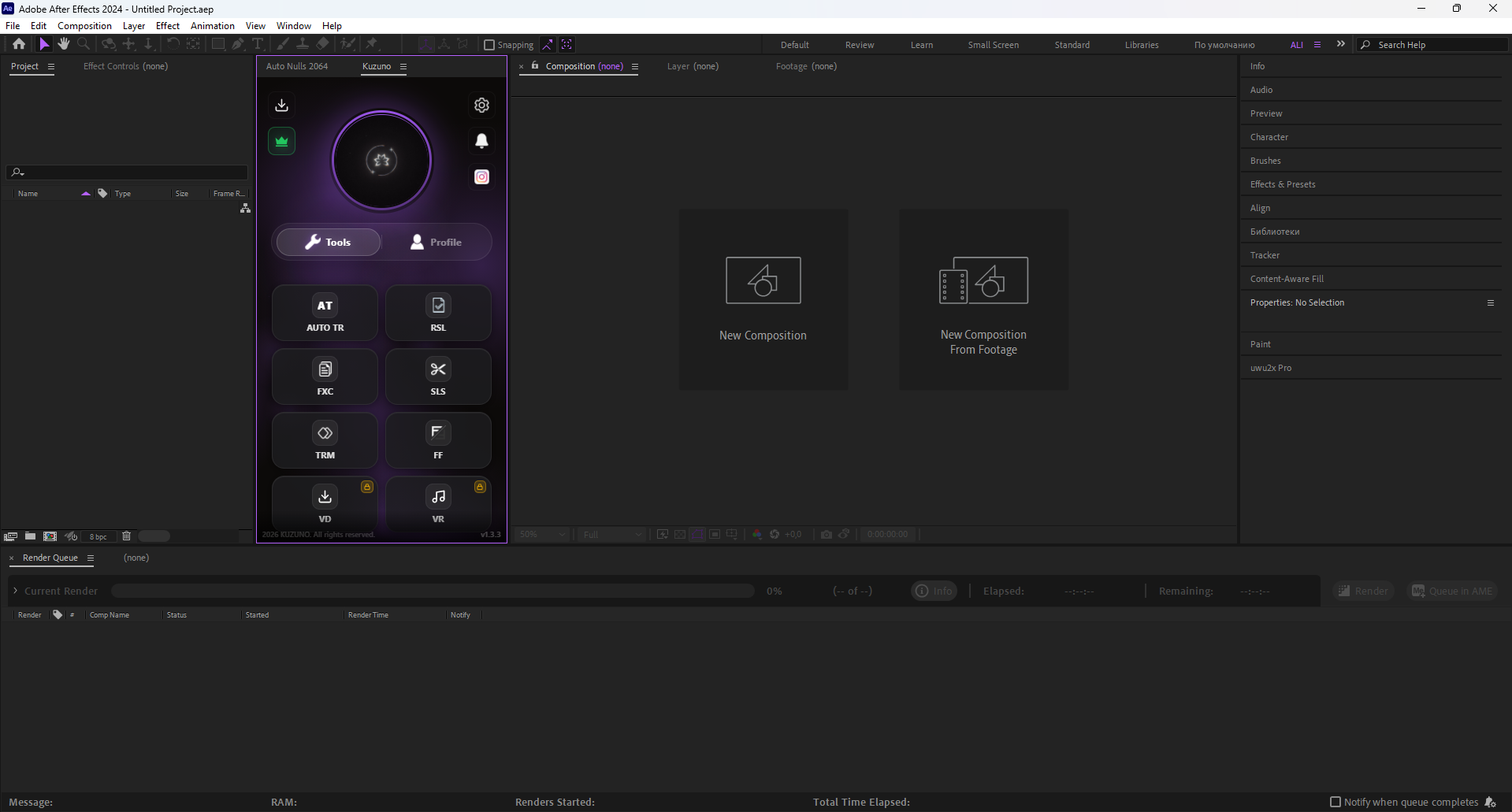
Kuzuno Script combines essential tools that remove the most time-consuming parts of editing. From automatic trimming to advanced layer control — every feature is designed to save hours of work.
info Current Version: v1.3.3
analytics Requirements
OS
Windows 10/11 x64
Memory
8 GB DDR4 (min)
Architecture
x86-64 / ARM64
Software
After Effects 2020+
rocket_launch Quick Installation
Download the installer
Click "Download for Windows" to get the Kuzuno Script installer (.exe).
Run the installer
Open the downloaded file. If Windows SmartScreen appears, click "More info" → "Run anyway".
Install & open After Effects
Click "Install", then launch After Effects — Kuzuno Script will appear in your extensions panel.
Pricing
$0
Forever free, no limits
- check_circle Chat
- check_circle FXC, SLS, TRM buttons
- check_circle Support
- check_circle Storage — 100 MB
- cancel FlowFrames (FF)
- cancel Auto Time Remap
$4.99/mo
Full access to every tool
- check_circle Everything in Free
- star FlowFrames (FF) — full library
- star Auto Time Remap
- star Upload Stories with links
- star Send P2P files and Torrent
- star Storage — 500 MB
SmartScreen & Antivirus Notice
When running the Kuzuno Script installer for the first time, Windows SmartScreen may display a warning. This happens because the application is not yet widely recognized by Microsoft's reputation system — it does not mean the file is harmful.
To continue the installation:
- Click "More info" on the SmartScreen popup
- Click "Run anyway"
If your antivirus flags the installer, add the installation folder to your allow-list. The installer is a custom tool built for a small editing community — false positives are common for new software.